CineToolkit:Caster&Roku Remote
- 3.6
- Rating
- 1.00M
- Installs
- Free
- Price

 Analysis by App-foxy
I spent time with CineToolkit:Caster&Roku Remote as a practical living-room tool rather than treating it like another streaming service. Developed by Cinetoolkit, this free Tools app brings casting and Roku control together, with access to its PREM benefits in the same package. That combination sounds simple, but the experience depends heavily on how well your phone, television, Roku device, and network cooperate at the exact moment you want to watch something.
My overall impression is that it is most useful for people who regularly move between phone-based viewing and a television. It can reduce the need to switch between separate casting and remote-control apps, which is a real convenience when the original remote is misplaced or when I want to send something from my phone to the larger screen. At the same time, it is not a magic fix for every connection problem. When the network is busy or the devices stop seeing one another, the app feels limited by the environment around it.
The app is free to install, carries a Teen content rating, and has reached over a million installs. Its average rating is 3.6 from roughly nine thousand ratings, so the public response suggests a useful but not universally smooth experience. I think that is a fair starting point: this is a focused utility with a clear purpose, but its value changes noticeably depending on your home setup and expectations.
You May Also Like

 Blood Strike: 2.5 Anniversary
Blood Strike’s Loadouts Turn Every Drop Into a Tactical Gamble
A close look at Blood Strike’s custom loadouts: how fast access to signature weapons reshapes its battle royale rhythm, rewards preparation, and narrows the gap between fights.

 Pandora - Music & Podcasts
Pandora’s Music Is Easy to Start, but Harder to Recover
Pandora’s strength is its low-effort path from a seed to a station. Its weak spot is how much confidence it asks you to place in connection, setup, and quiet recovery.

 8 Ball Pool
 Is Built on Rivalries, Rematches, and Routine
A close look at the rivalries, rematches, shared routines, and unanswered safety questions that turn a quick pool match into a persistent mobile community.

 Samsung Music
’s Quiet Strength Is Playing What You Already Own
Its reach comes less from spectacle than from dependable access to a personal library. That simplicity is both the app’s strongest retention engine and its ceiling.

 AccuWeather: Weather Radar
AccuWeather Review: A Quick, Clear Forecast for Everyday Decisions
For everyday plans, the best forecast is the one you can understand quickly. AccuWeather makes rain timing, radar, and local conditions easy to act on, with a few trade-offs.

 Hill Climb Racing
Why Hill Climb Racing Still Turns Crashes Into One More Run
A tiny car, a bumpy hill and one more upgrade: Hill Climb Racing keeps resurfacing because its simple chaos makes every near-miss feel personal.
More From Our News Desk



How connectivity shapes the everyday experience
I focus here on what happens between choosing a control in the app and seeing the television respond, because that handoff is where convenience either pays off or falls away. In my experience, treating casting and Roku control as separate steps helps me avoid unnecessary retries and makes it easier to spot whether a delay is coming from the phone-to-screen connection. That practical distinction leads into the next section’s everyday workflow.
The first connection is part of the product
The most important thing to understand is that CineToolkit:Caster&Roku Remote is not an isolated remote sitting inside your phone. Its useful moments happen across several devices. I need the phone to recognize the relevant television or Roku equipment, and I need the casting or remote action to reach that equipment before anything happens on screen. That makes connectivity feel less like a background detail and more like part of the app’s interface.
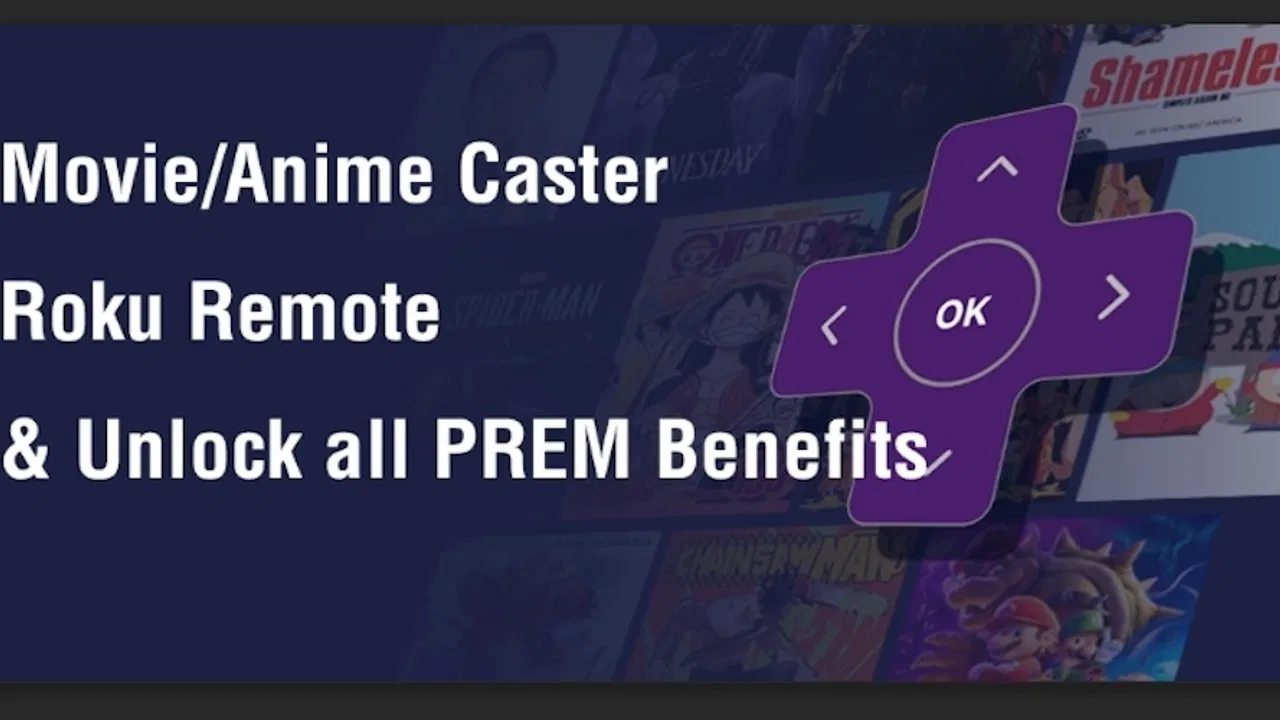
When everything is ready, the advantage is immediate. I can keep the phone in my hand, choose the action I need, and avoid searching through a drawer for a physical remote. The Stream Cast function gives the app a second role beyond button replacement, while the Roku Remote side is aimed at everyday navigation and control. Having both in one app is especially handy in a room where different people use different ways to start content.
The trade-off is that a successful tap does not always mean an instant result. A request may need a moment to travel between the phone and the television equipment. If I tap repeatedly because the first response is delayed, I can create extra commands instead of solving the original delay. My practical advice is to press once, watch the screen, and give the connection a short pause before trying again.
A realistic living-room scenario
Imagine arriving home with your phone already in your hand and wanting to continue a video on the television. Instead of opening one app to cast and another to control the Roku interface, you open CineToolkit:Caster&Roku Remote and use the appropriate section. If the devices are visible, this is a small but meaningful improvement: fewer app changes, fewer interruptions, and less time spent locating the correct remote.
The same setup can help when the physical remote is unavailable. A child may have left it under a cushion, a guest may not know which buttons to use, or the batteries may have stopped responding. In those situations, a phone-based remote is not merely a novelty. It gives me a familiar screen for navigating, while the casting option can be more direct when I already know what I want to play.
However, I would not rely on it as the only control method during an important viewing session until I had tested it at home. A physical remote and a phone app fail in different ways. The physical remote can work without involving a phone interface, while the app’s usefulness is tied to device discovery and communication. Keeping that distinction in mind prevents disappointment.
Why mobile context matters
The app makes the most sense when the phone is already the center of the viewing routine. I often use a phone to browse, search, share, or decide what to watch, so having casting and Roku controls nearby feels natural. It is less compelling for someone who watches everything through a television’s built-in interface and rarely needs phone control.
There is also a social advantage. Passing a physical remote around can interrupt the person holding it, while a phone-based control app lets the person who selected the content handle the initial action. After that, another viewer can use the television normally if preferred. This is a small workflow improvement, but it is one of the more convincing reasons to keep the app installed.
On the other hand, a phone is easy to lock, silence, misplace, or hand to someone else. The app therefore works best when the person controlling the screen is comfortable keeping the phone available. If you want a dedicated, always-ready controller with tactile buttons, a traditional remote remains better. CineToolkit is more flexible, but flexibility is not the same as physical convenience.
Using it without wasting attention
I found that the smoothest approach is to prepare before starting a program. First, I make sure the intended device is awake and visible. Then I choose either casting or remote navigation based on the task, rather than switching between both repeatedly. Casting is the more direct route when I already have something selected on the phone; remote control is more suitable when I need to browse or adjust the television experience.
This distinction is one of the app’s less obvious strengths. Treating Stream Cast and Roku Remote as two different workflows makes the interface easier to understand. Casting is about sending a viewing choice outward, while remote control is about operating the destination. Confusing those jobs can make a simple action feel more complicated than it needs to be.
When the network gets in the way
Connectivity problems are the main source of friction. A device may not appear immediately, a command may arrive late, or the television may not react even though the phone seems ready. These moments are frustrating because the app itself may still look responsive. In my experience, the important question is not only “Did I tap the right control?” but also “Can the phone and destination currently communicate?”
That makes the app less dependable in crowded or changing network environments. A home with several active devices, a temporary router issue, or a phone that has moved between networks can all make discovery less predictable. I would be particularly cautious when using it in a guest room, hotel-like environment, shared building network, or any place where connected devices are separated from one another.
The app is also not the right tool for solving every television problem. If the Roku device itself is frozen, the television input is wrong, or the network connection has failed outside the app, tapping more controls will not repair the underlying issue. The app can be a controller, but it should not be mistaken for a universal diagnostic or repair utility.
Failure and recovery without guesswork
When a command fails, I prefer a short recovery routine instead of repeatedly tapping. I check whether the phone is connected to the expected network, confirm that the television or Roku device is awake, and then return to the relevant control area. If the device still does not appear, I treat that as a connection problem rather than assuming the button itself is broken.
This approach matters because repeated attempts can blur the cause of the failure. A delayed command may eventually arrive, and several repeated taps can then produce an unwanted sequence. Waiting briefly after one action is a surprisingly useful habit. It makes the app feel more stable because I am working with the connection instead of fighting it.
Another helpful habit is to use a single destination at a time. If more than one compatible screen is available, I take an extra moment to identify the correct one before sending a cast request or navigation command. That reduces the chance of controlling the wrong television, which is especially important in homes with multiple rooms.
I also recommend testing the app before an event rather than during it. A few minutes of checking can reveal whether your usual phone and television arrangement cooperate. This is one of the concrete trade-offs of a mobile remote: setup is easy to overlook because the app is free, but the first real test often happens when everyone is already waiting to watch something.
What the PREM benefits change
The store summary places Stream Cast, Roku Remote, and the PREM benefits together, so the app is clearly designed as more than a single-purpose remote. The free entry point makes it easy to try the basic idea, while in-app purchases range from $0.99 to $49.99 per item. I would approach those purchases carefully and decide whether the combined toolkit solves a recurring problem for me before paying for anything.
The presence of paid items creates an important distinction between trying the app and committing to it. A free installation is enough to judge whether device discovery and everyday control fit my setup. If the connection is unreliable in the first place, unlocking additional benefits is unlikely to change the basic limitation. In other words, premium access may add value to a good connection, but it should not be treated as a substitute for one.
I also think the app’s purchase structure makes it more suitable for regular users than for someone who needs a remote once. If I frequently cast from my phone and control a Roku television, a combined tool can justify a closer look. If I only occasionally lose the physical remote, I would first see whether the free experience already covers that rare situation.
Data-conscious use in a connected home
Because the app’s main purpose involves communication with casting and Roku equipment, I use it most deliberately on a trusted home network. I avoid treating every available network as equally suitable, particularly when I am not sure which devices can see one another. This is less about changing the app and more about keeping control of where I use a tool that interacts with screens in the room.
There is also a practical data consideration. Casting from a phone can involve more than pressing a button: I may browse content, select a destination, and keep the phone active while the television responds. On a limited mobile plan, I prefer doing that while connected to my normal home network rather than assuming every viewing workflow has the same data impact. The app’s convenience should not encourage careless use of a mobile connection.
For the same reason, I avoid unnecessary retries. If a command is not working, repeatedly refreshing discovery or resending actions can consume attention without improving the result. A calm check of the network and destination is both more efficient and easier on a phone that is already handling other tasks.
Where it compares well with usual alternatives
The usual alternatives are a physical Roku remote, the platform’s own control options, or separate casting and remote utilities. A physical remote wins for tactile feedback and quick access when the television is already configured. A dedicated platform option may feel more predictable to people who want only Roku control. Separate apps can also be preferable when someone wants a very narrow interface with no extra functions.
CineToolkit’s strongest argument is consolidation. Stream Cast and Roku Remote sit under one app identity, so I do not have to maintain two different tools for two related jobs. That is particularly useful for phone-first households and for people who regularly begin watching on a mobile screen before moving to the television.
Its weakness compared with a physical remote is dependence on the phone and the connection. Its weakness compared with a narrowly focused alternative is that the combined design may feel unnecessary if I only need one function. The right choice therefore depends on behavior, not on the number of features. More capability is helpful only when I actually move between those capabilities.
Who should install it, and who should skip it
I would recommend trying CineToolkit:Caster&Roku Remote if you already use a Roku device, browse from your phone, and want one place for casting and control. It is also worth considering if the household regularly misplaces the physical remote or if several people prefer using their phones to select content. The free price makes that trial relatively easy, while the Teen rating is worth noting for families deciding which tools younger users may access.
I would skip it if I want a remote that works independently of phone connectivity, if I dislike keeping my phone nearby during television use, or if I only need a basic physical controller. I would also be cautious if my home network frequently separates devices or if I expect an app to repair a Roku or television that is already offline. Those are situations where a different control method is likely to be less frustrating.
Version, maturity, and practical expectations
The current release is version 2.3.0, and the app was released on February 17, 2023. It supports Android 5.0 and later, which gives it a broad compatibility range for Android users. That does not guarantee identical behavior on every phone or television arrangement, but it does make the app accessible to people using older Android hardware.
The combination of a 3.6 average and thousands of public reviews tells me to approach it as a useful utility that may require patience, not as a flawless replacement for every remote. That matches my own judgement. When the network path is clear, the combined design is convenient. When discovery fails, the convenience can disappear quickly.
My connectivity verdict
After using it as a phone-based bridge between mobile viewing and the living-room screen, I see CineToolkit:Caster&Roku Remote as a practical choice for the right setup. Its best quality is not simply that it includes a remote; it is that it connects two common habits—choosing content on a phone and controlling a television—without forcing me to maintain separate tools.
The decisive question is whether your devices communicate reliably. If they do, the app can make ordinary moments easier, from finding a missing remote to sending a selected video to the larger display. If they do not, the app cannot remove that underlying obstacle. Its real value is convenience built on a stable connection, not independence from connectivity.
I would install the free version, test both Stream Cast and Roku Remote in the rooms where I actually watch television, and only then consider any in-app purchase. That order keeps expectations realistic and makes the decision personal: if the app fits your network and your phone-first routine, it is a sensible tool to keep nearby. If you want certainty without connection checks, a physical remote or a more focused alternative will probably serve you better.
For my own recommendation, CineToolkit:Caster&Roku Remote earns a qualified yes. It is convenient, specific, and potentially useful every day, but its success is shaped by the network around it. I would recommend it to connected Roku users who value having casting and remote control together, while being honest that the smoothest experience comes from preparation, patient recovery when commands stall, and realistic expectations about what a mobile controller can—and cannot—do.
FAQs for CineToolkit:Caster&Roku Remote
01What is CineToolkit:Caster&Roku Remote used for?
CineToolkit:Caster&Roku Remote is designed to enhance your streaming experience by allowing you to cast media from your device to your Roku TV. It functions as a remote control, providing seamless navigation and playback control. The app supports a wide range of media formats, making it versatile for different streaming needs.
02Is CineToolkit:Caster&Roku Remote compatible with all Roku devices?
CineToolkit:Caster&Roku Remote is compatible with most Roku devices. However, it is important to check the app's compatibility list on its download page to ensure your specific model is supported. Using the latest firmware on your Roku device can also help maintain compatibility.
03Does CineToolkit:Caster&Roku Remote offer in-app purchases or subscriptions?
While the basic functionalities of CineToolkit:Caster&Roku Remote are free, there may be additional features available through in-app purchases or subscriptions. These could include advanced casting options, ad-free experience, or premium support. Checking the app's pricing section will provide detailed information on any costs involved.
04How user-friendly is CineToolkit:Caster&Roku Remote for beginners?
CineToolkit:Caster&Roku Remote is designed with an intuitive interface that is easy for beginners to navigate. The app includes tutorials and a help section to assist new users in setting up and using the casting features efficiently. Most users find the setup process straightforward, with clear instructions provided.
05What permissions does CineToolkit:Caster&Roku Remote require on my device?
To function properly, CineToolkit:Caster&Roku Remote requires permissions such as access to your Wi-Fi network, media files, and potentially your location. These permissions enable the app to connect to your Roku device and access media content on your phone or tablet. Always review the permissions requested to ensure they align with your privacy preferences.
Pros
- User-friendly interface for easy navigation.
- Seamless connection with Roku devices.
- Customizable remote layout options.
- Fast streaming with minimal lag.
- Supports multiple device connections.
Cons
- Limited compatibility with older devices.
- Occasional disconnection issues.
- Ads can be intrusive at times.
- Some features require in-app purchases.
- No offline functionality available.

CineToolkit:Caster&Roku Remote
Gallery